تبلیغات :
خرید لپ تاپ استوک
آکوستیک ، فوم شانه تخم مرغی ، پنل صداگیر ، یونولیت
دانلود فیلم جدید
خرید فالوور ایرانی
خرید فالوور اینستاگرام
خرید ممبر تلگرام
ماهان سرور
دستگاه جوجه کشی حرفه ای
فروش آنلاین لباس کودک

[ + افزودن آگهی متنی جدید ]


صفحه 23 از 45 اولاول ... 1319202122232425262733 ... آخرآخر
نمايش نتايج 221 به 230 از 447

نام تاپيک: »» آموزش هاي ويديويي| فقط در اين تاپيك ◄

  1. #221
    آخر فروم باز pclord's Avatar
    تاريخ عضويت
    May 2008
    محل سكونت
    Sisakht
    پست ها
    1,152

    پيش فرض

    The Gnomon Workshop — Brazil Material Fundamentals 3DS Max And Brazil Techniques


    | DF | 2.2 GB |

    This DVD offers an in-depth overview of the rendering plug-in Brazil 2 for Autodesk's 3d Studio Max. In this title Sebastien covers in detail all the different materials, shaders and texture maps included with this amazing tool from Splutterfish. He also demonstrates how to create and manage materials in a simple scene in order to reproduce a photorealistic image in 3D. This DVD contains an extensive custom library which has hundreds of resources in a simple browsable interface. The library includes materials, textures, references and links to everything you need to enhance your scenes and to enable you to create new materials on your own.

    Download:
    کد:
    برای مشاهده محتوا ، لطفا وارد شوید یا ثبت نام کنید

  2. این کاربر از pclord بخاطر این مطلب مفید تشکر کرده است


  3. #222
    آخر فروم باز pclord's Avatar
    تاريخ عضويت
    May 2008
    محل سكونت
    Sisakht
    پست ها
    1,152

    پيش فرض

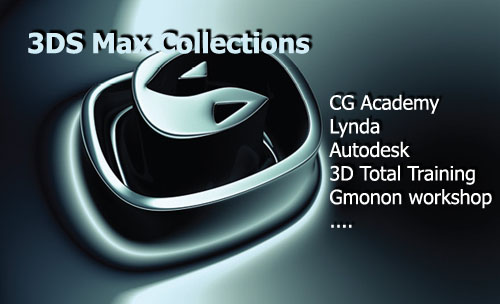
    3DS Max Collections (CG Academy,Digital-tutors,Lynda,Gmonon...)


    There are attractive 59 Tutorials 3DS Max-100GB

    CG ACADEMY

    01.CG ACADEMY - Workflow2:proceduralism

    02.CG ACADEMY - Workflow1:user interface & basic workflow

    03.CG ACADEMY – Texturing series:boxed set -3dvd

    04.CG ACADEMY – Texturing fundamentals1:uv mapping & texturing

    05.CG ACADEMY – Particle flow fundamentals set -5dvd

    06.CG ACADEMY – Particle flow fundamentals5:practical examples

    07.CG ACADEMY – Particle flow fundamentals4:tests, forces & collisions

    08.CG ACADEMY – Particle flow fundamentals3:operators2

    09.CG ACADEMY – Particle flow fundamentals2:operators

    10.CG ACADEMY – Particle flow fundamentals1:principles & workflow

    11.CG ACADEMY – Modeling fundamentals set

    12.CG ACADEMY – Modeling fundamentals4:sub-d’s &combined techniques

    13.CG ACADEMY – Modeling fundamentals3:spline based tools

    14.CG ACADEMY – Modeling fundamentals2:polygonal mesh modelling

    15.CG ACADEMY – Modeling fundamentals1:primitives & poly fundamentals

    16.CG ACADEMY – Advanced maxscript1:the matrix explained

    17.CG ACADEMY – Maxscript fundamentals2:maxscript for the masses

    18.CG ACADEMY – Maxscript fundamentals1:variables,macroscripts&functions

    19.CG ACADEMY – Intermediate texturing1:the unwrap uvw tool

    20.CG ACADEMY – Intermediate rigging set -4dvd

    21.CG ACADEMY – Intermediate rigging4:facial rigging techniques

    22.CG ACADEMY – Intermediate rigging3:skinning techniques

    23.CG ACADEMY – Intermediate rigging2:spline ik,arm & hand rig

    24.CG ACADEMY – Intermediate rigging1:fk spine, leg & foot rig

    25.CG ACADEMY – Animation fundamentals1:the core principles

    26.CG ACADEMY – Animation fundamentals1:the core principles

    27.CG ACADEMY – Afterburn masters set -3dvd

    28.CG ACADEMY – Afterburn masters3:allan mckay’s –air strike

    29.CG ACADEMY – Afterburn masters2: allan mckay’s –fireball

    30.CG ACADEMY – Afterburn masters1:allan mckay’s afterburn fundamentals

    31.CG ACADEMY – Advanced texturing1:creature uv unwrapping

    32.CG ACADEMY – Advanced modelling2:technical modelling1

    33.CG ACADEMY – Advanced modelling1:sub-d creature modelling

    34.CG ACADEMY – Lighting & rendering fundamentals1:light&colour theory

    35.CG ACADEMY – Particle flow scripting1: the pflow script show

    36.CG ACADEMY – Particle flow scripting2: the pflow script show:act2

    37.CG ACADEMY – Animation fundamentals 2:adding character

    38.CG ACADEMY – HLSL shader creation 1: hlsl fundamentals

    39.CG ACADEMY – HLSL shader creation 2: light & shading models


    Digital-tutors

    1.Digital-tutors : Modeling Interiors in 3ds Max

    2.Digital-tutors : Introduction to Rigging in 3ds Max

    3.Digital-tutors : Introduction to Modeling in 3ds Max

    4.Digital-tutors : Introduction to mental ray in 3ds Max

    5.Digital-tutors : Introduction to Lighting in 3ds Max

    6.Digital-tutors : Introduction to Animation in 3ds Max

    7.Digital-tutors : Creating Cartoon Characters in 3ds Max

    8.Digital-tutors : Automotive Modeling in 3ds Max


    Lynda

    1. Lynda: 3ds Max 2009 Beyond the Basics

    2. Lynda: 3ds Max 2009 Essential Training

    3. Lynda: 3ds Max 2010 New Features

    4. Lynda: 3ds Max9 : Modeling

    5. Lynda: 3ds max 2009 : Essential Training

    6. Lynda: Texturing And Lighting In Discreet 3ds Max 6


    Autodesk

    1.Autodesk: 3ds Max 8 –E Learning

    2.Autodesk: Maxscript secrets revealed


    3D Total Training

    1. 3D Total Training : Eva Wild Series-3dvd


    Gnomon Workshop

    1. The Gnomon workshop : Environment Creation for Production

    2. The Gnomon workshop : Environment Lighting for Production


    Gnomonlogy

    1.Gnomonology : Introduction to 3ds Max


    Download:
    کد:
    برای مشاهده محتوا ، لطفا وارد شوید یا ثبت نام کنید

  4. 2 کاربر از pclord بخاطر این مطلب مفید تشکر کرده اند


  5. #223
    آخر فروم باز pclord's Avatar
    تاريخ عضويت
    May 2008
    محل سكونت
    Sisakht
    پست ها
    1,152

    پيش فرض

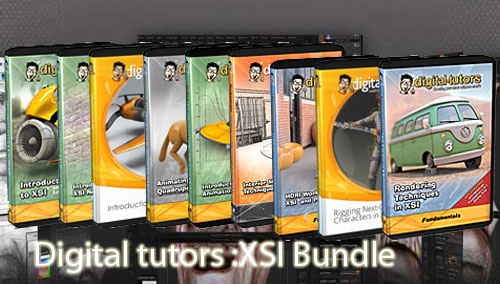
    Digital-tutors : XSI Bundle (31 topics)


    01.Digital-tutors : Animating Quadrupeds in XSI

    02.Digital-tutors : Animating Walk Cycles in XSI

    03.Digital-tutors : Automotive Modeling in XSI

    04.Digital-tutors: Soft and Rigid Bodies in XSI

    05.Digital-tutors : HDRI Workflow with XSI and Photoshop

    06.I3D Tutorials Rendering With Softimage XSI vII Mental Ray

    07.Digital-tutors: Softimage XSI ICE Nodes Reference Library

    08.Digital-tutors : Interior Modeling Techniques with XSI

    09.Digital-tutors : Introduction to Animation in XSI

    10.Digital-tutors : Introduction to Animation Mixer in XSI

    11.Digital-tutors : Introduction to Character Development Kit in XSI

    12.Digital-tutors : Introduction to ICE in XSI 7

    13.Digital-tutors : Introduction to Lighting in XSI

    14.Digital-tutors : Introduction to Modeling in XSI

    15.Digital-tutors : Introduction to Rigging in XSI

    16.Digital-tutors : Introduction to XSI 6

    17.Digital-tutors : Introduction to XSI 7

    18.Digital-tutors : Introduction to XSI Render Tree (e-download)

    19.Digital-tutors : Introduction to XSI, 2nd Edition

    20.Digital-tutors : mental ray in XSI

    21.Digital –tutors: Mental Ray Production shaders in Softimage

    22.Digital-tutors : Modeling Next-Gen Characters in XSI

    23.Digital-tutors : Next-Generation Gaming Techniques in XSI

    24.Digital-tutors : Particles and Forces in XSI

    25.Digital-tutors : Polygon and Sub-D Modeling in XSI

    26.Digital-tutors : Rendering Interiors in XSI

    27.Digital-tutors : Rendering Techniques in XSI

    28.Digital-tutors : Rigging Next Gen Characters in XSI

    29.Digital-tutors : Rigging Quadrupeds in XSI (e-download)

    30.Digital-tutors : UV Layout in XSI

    31.Digital-tutors : ZBrush 2 and XSI Integration (e-download)


    Download:
    کد:
    برای مشاهده محتوا ، لطفا وارد شوید یا ثبت نام کنید

  6. 2 کاربر از pclord بخاطر این مطلب مفید تشکر کرده اند


  7. #224
    آخر فروم باز pclord's Avatar
    تاريخ عضويت
    May 2008
    محل سكونت
    Sisakht
    پست ها
    1,152

    پيش فرض Ray Fire Tutorial : Virgin rehab breakdown

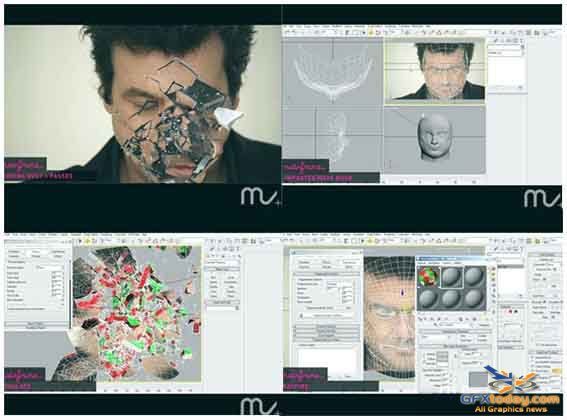
    Ray Fire Tutorial : Virgin rehab breakdown


    Download:

    کد:
    برای مشاهده محتوا ، لطفا وارد شوید یا ثبت نام کنید
    کد:
    برای مشاهده محتوا ، لطفا وارد شوید یا ثبت نام کنید
    or

    کد:
    برای مشاهده محتوا ، لطفا وارد شوید یا ثبت نام کنید
    or

    کد:
    برای مشاهده محتوا ، لطفا وارد شوید یا ثبت نام کنید
    کد:
    برای مشاهده محتوا ، لطفا وارد شوید یا ثبت نام کنید
    Last edited by pclord; 15-01-2010 at 10:01.

  8. 2 کاربر از pclord بخاطر این مطلب مفید تشکر کرده اند


  9. #225
    آخر فروم باز pclord's Avatar
    تاريخ عضويت
    May 2008
    محل سكونت
    Sisakht
    پست ها
    1,152

    پيش فرض

    Modeling a Mountain Bike in modo 401 Series II


    Series II of Modeling a Mountain Bike in modo 401 starts with the model as finished at the end of Series I. Geoff shows how to use modo 401’s new animation tools to create a simple animation rig of the bike’s gears and wheels and animate it along a path.


    The tutorial then continues to texture the bike and ends with a fully rendered scene. Geoff creates custom materials and also makes use of the new 401 material presets for the different parts of the bike. Dissect complex materials to get a better understanding of how to recreate your own surfaces.

    1. Animating the bike - 16 minutes
    Chapter 1 focuses on setting up the gears, pedals and wheels to all animate in unison using 1 driver control. It introduces some of modo 401's new animation controls like constraints and channel links.

    2. Scene Setup - 16 minutes
    In this chapter we will create the basic scene elements such as the floor, lights and hdr images which we will use for the final render.

    3. Texturing Start - 29 minutes
    We'll start texturing the bike using some material presets while making use of modo's uv tools to make sure the textures align correctly to the geometry.

    4. Decal UVs - 8 minutes
    Chapter 4 illustrates how to take the uv maps generated in modo and import them into photoshop to create the decals for the bike.

    5. Tire Texture - 7 minutes
    After applying the decals created in the previous chapter we continue texturing by starting with a 401 material preset and customizing it to suit our needs.

    6. Texturing continued - 19 minutes
    In this chapter we turn our attention to the handle bars. We create the uv maps necessary to create the indicator images making use of modo's paint tools to help us along the way.

    7. Texturing continued - 13 minutes
    Chapter 7 starts off with creating the uv map for the color and bump textures for the seat. We then use some procedural textures to get create the surface for the center gears cover.

    8. Texturing continued - 14 minutes
    We start chapter 8 by creating a multi layer paint material making use of 401's new clearcoat option in addition to some other nifty tools.

    9. Texturing Complete - 19 minutes
    In this chapter we finish texturing the bike, set up our render settings and render the final image. We also spend a few minutes digging a little deeper into the preset materials that ship with 401 to get a better understanding of recreating surfaces.


    mORE iNFO
    _http://www.modomountainbiketutorial.com/Modeling_Modo_Mountain_Bike_Tutorial_Series_II_Cha pter_List.aspx

    Download
    کد:
    برای مشاهده محتوا ، لطفا وارد شوید یا ثبت نام کنید
    کد:
    برای مشاهده محتوا ، لطفا وارد شوید یا ثبت نام کنید
    کد:
    برای مشاهده محتوا ، لطفا وارد شوید یا ثبت نام کنید
    کد:
    برای مشاهده محتوا ، لطفا وارد شوید یا ثبت نام کنید
    کد:
    برای مشاهده محتوا ، لطفا وارد شوید یا ثبت نام کنید
    or
    کد:
    برای مشاهده محتوا ، لطفا وارد شوید یا ثبت نام کنید
    کد:
    برای مشاهده محتوا ، لطفا وارد شوید یا ثبت نام کنید
    کد:
    برای مشاهده محتوا ، لطفا وارد شوید یا ثبت نام کنید
    کد:
    برای مشاهده محتوا ، لطفا وارد شوید یا ثبت نام کنید
    کد:
    برای مشاهده محتوا ، لطفا وارد شوید یا ثبت نام کنید

  10. این کاربر از pclord بخاطر این مطلب مفید تشکر کرده است


  11. #226
    آخر فروم باز pclord's Avatar
    تاريخ عضويت
    May 2008
    محل سكونت
    Sisakht
    پست ها
    1,152

    پيش فرض

    Introduction to Rendering with mental ray in Autodesk Maya 2009


    This training product is designed for anyone who needs to learn about the mental ray renderer and how to use it in a workflow designed specifically for Autodesk Maya. The mental ray renderer is used in the visual effects, film, architecture, and product visualization industries, among others. This professional renderer can be quite difficult to use and overwhelming for newcomers to rendering and mental ray technology. Taking you step by step and explaining how to use the mental ray renderer in terminology anyone can understand, this training product covers many aspects of mental ray with in-depth lessons that cover both basic principles and fundamentals, as well as production workflows and methods of trouble shooting issues that can appear during an actual production.

    By covering mental ray in an easy to understand manner, you will get a unique training experience unlike any offered anywhere else. Some of the subjects covered in depth with this training product include Global Illumination, Final Gathering, area lights, Caustics, tone mapping, Importons, Irradiance Particles, and production workflows for mental ray. This training product includes all project files and assets needed to follow along with the instructor. This training product includes all project files and assets needed to follow along with the instructor. Project files require Maya 2009 and up.

    Total Running Time: 5 hours and 49 minutes
    Video Breakdown:
    • 00 Intro
    • 01 Overview
    • 02 Test Rendering
    • 03 Render Settings
    • 04 Maya Lights
    • 05 mental ray Area Light
    • 06 Global Illumination Part 01
    • 07 Global Illumination Part 02
    • 08 Global Illumination Part 03
    • 09 GI Example Part 01
    • 10 GI Example Part 02
    • 11 GI Example Part 03
    • 12 GI Example Part 04
    • 13 Final Gathering Part 01
    • 14 Final Gathering Part 02
    • 15 Final Gathering Part 03
    • 16 Sun and Sky Part 01
    • 17 Sun and Sky Part 02
    • 18 GI and FG United
    • 19 Caustics Part 01
    • 20 Caustics Part 02
    • 22 Importons Part 02
    • 21 Importons Part 01
    • 23 Irradiance Particles Part 01
    • 24 Irradiance Particles Part 02
    • 25 Irradiance Particles Part 03
    • 26 Conclusion

    Introduction to Rendering with mental ray in Autodesk Maya 2009;1.12Gb


    کد:
    برای مشاهده محتوا ، لطفا وارد شوید یا ثبت نام کنید
    کد:
    برای مشاهده محتوا ، لطفا وارد شوید یا ثبت نام کنید
    کد:
    برای مشاهده محتوا ، لطفا وارد شوید یا ثبت نام کنید
    کد:
    برای مشاهده محتوا ، لطفا وارد شوید یا ثبت نام کنید
    کد:
    برای مشاهده محتوا ، لطفا وارد شوید یا ثبت نام کنید
    کد:
    برای مشاهده محتوا ، لطفا وارد شوید یا ثبت نام کنید
    کد:
    برای مشاهده محتوا ، لطفا وارد شوید یا ثبت نام کنید

  12. 2 کاربر از pclord بخاطر این مطلب مفید تشکر کرده اند


  13. #227
    آخر فروم باز pclord's Avatar
    تاريخ عضويت
    May 2008
    محل سكونت
    Sisakht
    پست ها
    1,152

    پيش فرض

    fxphd - RND101 - Introduction to Renderman


    Pixar's RenderMan has been specifically engineered to meet the demanding challenges of rendering 3D animation and visual effects. This means RenderMan is fast, efficient, and able to handle an astonishing amount of geometric complexity along with offering cutting-edge effects. Critically, Pixar's RenderMan has been developed to deliver outstanding imagery during the stresses of real-world productions. This means that in your own 3D work, you can trust that RenderMan is ready for the job ... with not only outstanding features, but the power to deliver.


    Class 01:
    Introduction: Renderman@ is a specification, prman is the software : a brief history of this 20 years old software - quick tour of the prman software package and the various utilities - "hello sphere" : write a simple RIB to render a sphere - overview of the structure of a RIB - context stacks.

    Class 02:
    RIB structure : creating a scene - basic transformations (and matrix concatenation) - positioning the camera - basic geometric primitives - parenting - options & attributes.

    Class 03:
    REYES: in-depth look at the REYES algorithm, does it really Render Everything You Ever Saw ? - core concepts : splitting, dicing, micropolygons and shaders - render options : taking control of your memory, speed and image quality

    Class 04:
    Custom Shaders: introduction to the shading language grammar, syntax & data types, compilation - implementation of a simple plastic shader - implementation of a simple light shader - attaching the shaders to the geometry.

    Class 05:
    ImageFeatures: motion blur, motion samples, multi-segment blur, limitations - depth of field - uniform / varying - flow control - fBm

    Class 06:
    Passing Data: coordinate systems, space transformations

    Class 07:
    Shading, texture maps: txmake and texture( ) - geometric primitives - texture coordinates

    Class 08:
    Shading, Illumination: Illuminance, Illuminate : diffuse & specular reflections

    Class 09:
    Bump & Displacement: bump mapping - displacement mapping - displacement bounds - practical application of sub-pixel displacement

    Class 10:
    Shadows: shadow maps - bias - blur - samples - workflow in Maya / Slim

    Screenshot


    Download
    کد:
    برای مشاهده محتوا ، لطفا وارد شوید یا ثبت نام کنید
    کد:
    برای مشاهده محتوا ، لطفا وارد شوید یا ثبت نام کنید
    کد:
    برای مشاهده محتوا ، لطفا وارد شوید یا ثبت نام کنید
    کد:
    برای مشاهده محتوا ، لطفا وارد شوید یا ثبت نام کنید
    کد:
    برای مشاهده محتوا ، لطفا وارد شوید یا ثبت نام کنید
    کد:
    برای مشاهده محتوا ، لطفا وارد شوید یا ثبت نام کنید
    کد:
    برای مشاهده محتوا ، لطفا وارد شوید یا ثبت نام کنید
    or
    کد:
    برای مشاهده محتوا ، لطفا وارد شوید یا ثبت نام کنید
    کد:
    برای مشاهده محتوا ، لطفا وارد شوید یا ثبت نام کنید
    کد:
    برای مشاهده محتوا ، لطفا وارد شوید یا ثبت نام کنید
    کد:
    برای مشاهده محتوا ، لطفا وارد شوید یا ثبت نام کنید
    کد:
    برای مشاهده محتوا ، لطفا وارد شوید یا ثبت نام کنید
    کد:
    برای مشاهده محتوا ، لطفا وارد شوید یا ثبت نام کنید
    کد:
    برای مشاهده محتوا ، لطفا وارد شوید یا ثبت نام کنید

  14. این کاربر از pclord بخاطر این مطلب مفید تشکر کرده است


  15. #228
    آخر فروم باز pclord's Avatar
    تاريخ عضويت
    May 2008
    محل سكونت
    Sisakht
    پست ها
    1,152

    پيش فرض

    Eat3D - ZBrush 3.5 Character Production


    Eat3D - ZBrush 3.5 Character Production - High Res Sculpting, Polypainting, ZPlugins, and more
    English | over 5 hours | AVC1 1280x720 | MP3 128 Kbps | RS & HF | 1.38GB

    In this DVD Michael Pavlovich starts off by taking up where the first DVD left off and covers the new features in ZBrush 3.5 R3. After the new features are covered he takes everything that you have learned up to this point and puts it into practice by creating an entire highres character right inside Zbrush. Many techniques are used during this character creation process that would benefit almost anyone.


    After the character is made he goes through many of the useful ZPlugins like Zapplink, Subtool Master and even goes through creating a turntable video of your character. At the very end there is a bonus video that takes you through rendering out passes from ZBrush and compositing them inside Photoshop.

    Chapter 1 New Features in ZBrush 3.5 R3

    * Section 1 Using QuickSketch
    * Section 2 New Brushes in R3
    * Section 3 SubTools
    * Section 4 PolyPainting and Group Loops
    * Section 5 Cavity Masks
    * Section 6 ZSketching on Meshes


    Chapter 2 Creating a Character from start to finish

    * Section 1 Sculpting the Characters Body
    * Section 2 Sculpting and Projecting the Head Straps
    * Section 3 Creating and Sculpting the Pants
    * Section 4 Creating and Sculpting the Belt
    * Section 5 Sculpting the Thigh Armor
    * Section 6 Sculpting the Straps
    * Section 7 Sculpting the Boot
    * Section 8 Sculpting the Front and Shoulder Armor
    * Section 9 Detailing the Character
    * Section 10 PolyPainting the Character
    * Section 11 PolyPainting the Teeth, Pants, Armor and More

    Chapter 3 ZPlugins, Turntable, and Bonus

    * Section 1 Using ZappLink
    * Section 2 Using Subtool Master
    * Section 3 Using Transpose Master and Decimation Master
    * Section 4 Creating a Turntable Movie
    * Section 5 Bonus: How to Quickly Add Scales
    * Section 5 Bonus: Exporting the PolyPaint
    * Section 6 Bonus: Compositing Passes in Photoshop


    Project Files included with the video.

    ZBrush Files:
    Included is the final posed version of the character with all its subtools. The characters body has been decimated but everything else remains untouched.

    Also included is the original lowres base meshes that the instructor uses to sculpt the entire character. You should be able to start with these and follow along to create your own version.

    Photoshop Files:
    Included is the final PSD file that was used to generate the main marketing image with all of its layers.

    Also included are a few textures that were used in the video and the exported polypaint.

    Screenshot


    mORE iNFO
    _http://eat3d.com/zbrush35_character

    Download
    کد:
    برای مشاهده محتوا ، لطفا وارد شوید یا ثبت نام کنید
    کد:
    برای مشاهده محتوا ، لطفا وارد شوید یا ثبت نام کنید
    کد:
    برای مشاهده محتوا ، لطفا وارد شوید یا ثبت نام کنید
    کد:
    برای مشاهده محتوا ، لطفا وارد شوید یا ثبت نام کنید
    کد:
    برای مشاهده محتوا ، لطفا وارد شوید یا ثبت نام کنید
    کد:
    برای مشاهده محتوا ، لطفا وارد شوید یا ثبت نام کنید
    کد:
    برای مشاهده محتوا ، لطفا وارد شوید یا ثبت نام کنید
    کد:
    برای مشاهده محتوا ، لطفا وارد شوید یا ثبت نام کنید
    or
    کد:
    برای مشاهده محتوا ، لطفا وارد شوید یا ثبت نام کنید
    کد:
    برای مشاهده محتوا ، لطفا وارد شوید یا ثبت نام کنید
    کد:
    برای مشاهده محتوا ، لطفا وارد شوید یا ثبت نام کنید
    کد:
    برای مشاهده محتوا ، لطفا وارد شوید یا ثبت نام کنید
    کد:
    برای مشاهده محتوا ، لطفا وارد شوید یا ثبت نام کنید
    کد:
    برای مشاهده محتوا ، لطفا وارد شوید یا ثبت نام کنید
    کد:
    برای مشاهده محتوا ، لطفا وارد شوید یا ثبت نام کنید
    کد:
    برای مشاهده محتوا ، لطفا وارد شوید یا ثبت نام کنید

  16. 2 کاربر از pclord بخاطر این مطلب مفید تشکر کرده اند


  17. #229
    آخر فروم باز pclord's Avatar
    تاريخ عضويت
    May 2008
    محل سكونت
    Sisakht
    پست ها
    1,152

    پيش فرض

    SimplyMaya Santa_Modeling | 600 MB


    If you really love the holidays then the cartoon Santa is a great tutorial. We will start off this tutorial by creating image planes to create the correct shape and proportion of are Santa. Some of the modeling techniques used will be shaping in nurbs, converting to polygons to add details and then into sub’ds to define the final shapes.

    Once the modeling of our new character is complete we will start preparing our model for texturing. The first step is laying out the Uv’s for all the separate parts of the body to make them flat so we can get a nice clean UV snap shot for our painted textures. On completion of are UV snap shot we will import into the paint program Photoshop. You will learn how to use layers for different areas as well as how to stain up certain parts of the body like the head and shirt for a more natural look.


    Filefactory:
    کد:
    برای مشاهده محتوا ، لطفا وارد شوید یا ثبت نام کنید
    کد:
    برای مشاهده محتوا ، لطفا وارد شوید یا ثبت نام کنید
    کد:
    برای مشاهده محتوا ، لطفا وارد شوید یا ثبت نام کنید
    کد:
    برای مشاهده محتوا ، لطفا وارد شوید یا ثبت نام کنید
    کد:
    برای مشاهده محتوا ، لطفا وارد شوید یا ثبت نام کنید
    کد:
    برای مشاهده محتوا ، لطفا وارد شوید یا ثبت نام کنید

    Rapidshare:

    کد:
    برای مشاهده محتوا ، لطفا وارد شوید یا ثبت نام کنید
    کد:
    برای مشاهده محتوا ، لطفا وارد شوید یا ثبت نام کنید
    کد:
    برای مشاهده محتوا ، لطفا وارد شوید یا ثبت نام کنید
    کد:
    برای مشاهده محتوا ، لطفا وارد شوید یا ثبت نام کنید
    کد:
    برای مشاهده محتوا ، لطفا وارد شوید یا ثبت نام کنید
    کد:
    برای مشاهده محتوا ، لطفا وارد شوید یا ثبت نام کنید
    کد:
    برای مشاهده محتوا ، لطفا وارد شوید یا ثبت نام کنید

  18. این کاربر از pclord بخاطر این مطلب مفید تشکر کرده است


  19. #230
    آخر فروم باز pclord's Avatar
    تاريخ عضويت
    May 2008
    محل سكونت
    Sisakht
    پست ها
    1,152

    پيش فرض

    Trinity3D: Advanced Maya: Character Modeling


    Advanced Maya: Character Modeling will take you through each step of modeling a character from head to toe. Starting with photographs of a human female model, every step from the first polygon to the final tweak is illustrated and explained. Also, learn how to create a custom shelf to be used throughout the modeling process that will speed up your workflow. The 16 page book is a handy guide to the included DVD disc. The DVD disc (data format) includes over 16 hours of high-resolution (1024x768) video in QuickTime™ MOV format, designed for crystal clear viewing on a computer monitor. Voice narration on these movies by artist Kenny Cooper will guide you through each movie. A Maya scene file is saved on the disc for the start and end of each movie segment - 50 segments in all.

    Designed for the intermediate level Maya user, this training video will help you learn how to use polygonal and sub-divisional modeling tools to create a fully articulated human 3D model. Follow along as each body part is created, matched, attached and refined.

    Includes printed guide to all 50 movies

    16 hours of Quicktime™ Movies with audio

    Suitable for all Maya platforms

    Suitable for intermediate Maya users (advise that you have a basic understanding of Maya before beginning)

    High resolution 1024x768 captures

    Movies created using Maya 5.0

    Works with the free Personal Learning Edition of Maya

    Produced by Jim Lammers, co-author of the best-selling Maya Fundamentals books


    Download:


    کد:
    برای مشاهده محتوا ، لطفا وارد شوید یا ثبت نام کنید
    کد:
    برای مشاهده محتوا ، لطفا وارد شوید یا ثبت نام کنید
    کد:
    برای مشاهده محتوا ، لطفا وارد شوید یا ثبت نام کنید
    کد:
    برای مشاهده محتوا ، لطفا وارد شوید یا ثبت نام کنید
    کد:
    برای مشاهده محتوا ، لطفا وارد شوید یا ثبت نام کنید
    کد:
    برای مشاهده محتوا ، لطفا وارد شوید یا ثبت نام کنید
    کد:
    برای مشاهده محتوا ، لطفا وارد شوید یا ثبت نام کنید

    کد:
    برای مشاهده محتوا ، لطفا وارد شوید یا ثبت نام کنید
    کد:
    برای مشاهده محتوا ، لطفا وارد شوید یا ثبت نام کنید
    کد:
    برای مشاهده محتوا ، لطفا وارد شوید یا ثبت نام کنید
    کد:
    برای مشاهده محتوا ، لطفا وارد شوید یا ثبت نام کنید
    کد:
    برای مشاهده محتوا ، لطفا وارد شوید یا ثبت نام کنید
    کد:
    برای مشاهده محتوا ، لطفا وارد شوید یا ثبت نام کنید
    کد:
    برای مشاهده محتوا ، لطفا وارد شوید یا ثبت نام کنید
    کد:
    برای مشاهده محتوا ، لطفا وارد شوید یا ثبت نام کنید
    کد:
    برای مشاهده محتوا ، لطفا وارد شوید یا ثبت نام کنید
    کد:
    برای مشاهده محتوا ، لطفا وارد شوید یا ثبت نام کنید
    کد:
    برای مشاهده محتوا ، لطفا وارد شوید یا ثبت نام کنید
    کد:
    برای مشاهده محتوا ، لطفا وارد شوید یا ثبت نام کنید
    کد:
    برای مشاهده محتوا ، لطفا وارد شوید یا ثبت نام کنید
    کد:
    برای مشاهده محتوا ، لطفا وارد شوید یا ثبت نام کنید
    کد:
    برای مشاهده محتوا ، لطفا وارد شوید یا ثبت نام کنید
    کد:
    برای مشاهده محتوا ، لطفا وارد شوید یا ثبت نام کنید
    کد:
    برای مشاهده محتوا ، لطفا وارد شوید یا ثبت نام کنید
    کد:
    برای مشاهده محتوا ، لطفا وارد شوید یا ثبت نام کنید
    کد:
    برای مشاهده محتوا ، لطفا وارد شوید یا ثبت نام کنید
    کد:
    برای مشاهده محتوا ، لطفا وارد شوید یا ثبت نام کنید

  20. این کاربر از pclord بخاطر این مطلب مفید تشکر کرده است


Thread Information

Users Browsing this Thread

هم اکنون 1 کاربر در حال مشاهده این تاپیک میباشد. (0 کاربر عضو شده و 1 مهمان)

User Tag List

قوانين ايجاد تاپيک در انجمن

  • شما نمی توانید تاپیک ایحاد کنید
  • شما نمی توانید پاسخی ارسال کنید
  • شما نمی توانید فایل پیوست کنید
  • شما نمی توانید پاسخ خود را ویرایش کنید
  •